
Download Nokia LifeBlog – Digital Diary, Memory Tracker, PC Sync
Overview
Nokia LifeBlog is a pioneering mobile application designed to transform Nokia smartphones into comprehensive digital diaries. Its primary purpose is to help users capture, organize, and preserve daily experiences through a structured, chronological format. By integrating photos, audio clips, and textual notes, the app offers a rich, multi-sensory way to document life moments, turning a standard mobile device into a personal memory archive. This functionality addresses the growing need for intuitive digital journaling tools that go beyond basic note-taking, providing a seamless method for reflecting on personal history.
The app targets individuals who value personal documentation, including students, travelers, creatives, and anyone seeking a meaningful way to track their daily lives. It is especially useful for those who want to preserve memories in a structured yet accessible format. The ability to sync content with personal computers adds a layer of data security and long-term accessibility, making it a practical tool for both casual users and those with more extensive documentation needs.
Although the developer did not provide additional technical details, the app’s release in 2007 highlights its historical significance as one of the early mobile applications focused on personal memory management. Its role in the mobile ecosystem was notable at the time, bridging the gap between mobile device functionality and personal digital archiving. Despite its age, Nokia LifeBlog remains a relevant example of early mobile-first digital journaling.
Key Features & Functionality
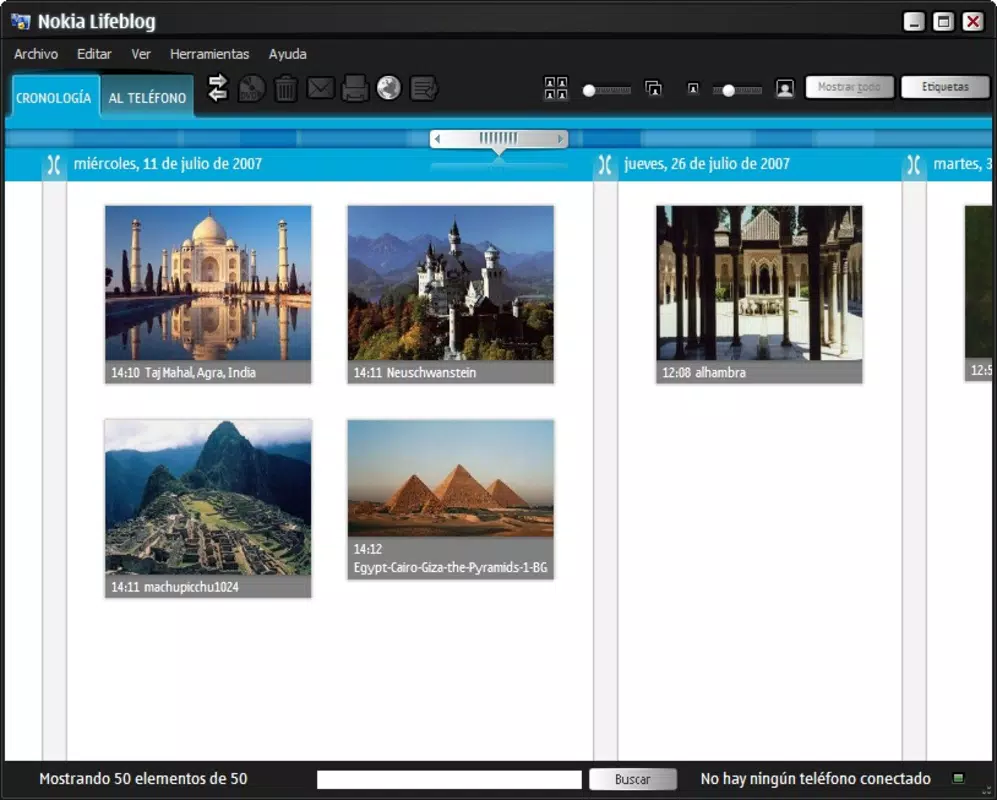
- Daily Blog Storage: Organizes user content chronologically, enabling effortless retrieval of memories from any specific day. This feature supports reflection and storytelling by presenting data in a narrative timeline.
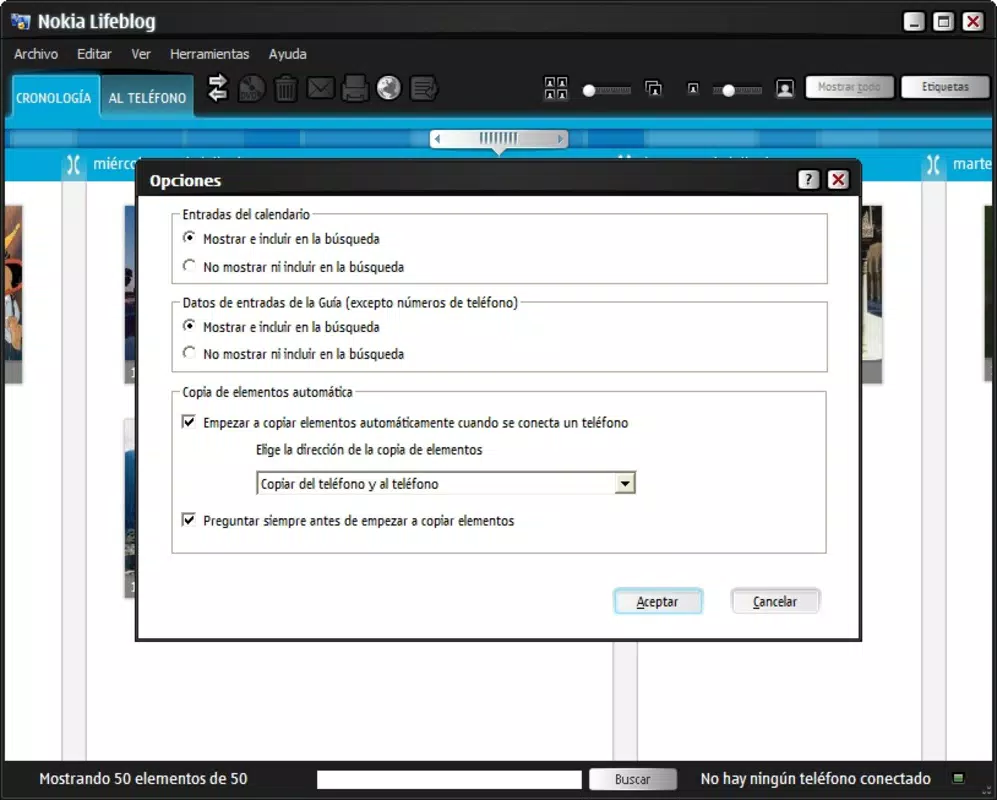
- PC Synchronization: Allows seamless transfer of multimedia content between the mobile device and a personal computer. This ensures data backup and enhances accessibility across devices.
- Multimedia Integration: Supports photos, audio recordings, and text notes, enabling a holistic representation of daily experiences. This rich media support enhances emotional engagement with stored memories.
- User-Friendly Interface: Designed for intuitive navigation, making it accessible to users of all technical skill levels. The layout prioritizes simplicity and ease of use.
- Personal Reflection Tool: Encourages users to revisit past events, fostering self-awareness and emotional connection to personal history. It transforms passive storage into an active reflection practice.
For example, a traveler could use LifeBlog to document a journey by adding daily photos, voice notes describing locations, and written reflections—all automatically arranged by date. Similarly, a student might use it to track project milestones, embedding visual aids and audio reminders. These use cases demonstrate how the app functions as both a utility and a creative tool.
Interface, UX & Performance
The interface of Nokia LifeBlog is designed with simplicity and accessibility in mind. The layout follows a clean, chronological structure, presenting entries in a timeline format that is easy to navigate. Visual elements are minimal, focusing on functionality rather than decorative design, which aligns with the app’s purpose as a personal journaling tool.
Navigation is straightforward, with intuitive menus that allow users to add, view, and manage content without requiring extensive training. The user experience emphasizes efficiency, enabling quick access to past entries and seamless content creation. Although the developer did not list formal performance metrics, the app’s lightweight design suggests it operates smoothly on the hardware available at the time of its release.
Performance across different device categories is not specified. However, given its 2007 release date and focus on core functionality, it likely performs reliably on Nokia devices of that era. Responsiveness and stability are implied by the app’s long-standing presence in the market, though no modern benchmarks are available. Users can expect consistent behavior when performing basic tasks such as adding entries or syncing with a PC.
Platform Compatibility & Technical Requirements
Nokia LifeBlog is designed for Nokia mobile phones and was released on September 5, 2007. The app is compatible with the operating systems available on Nokia devices at the time, though specific OS versions were not listed. The file size of the application is not disclosed in the provided information.
The developer did not specify minimum OS requirements or device compatibility details. As such, users should consult their device’s official documentation or Nokia’s archived support resources to determine if the app is suitable for their specific model. Compatibility with modern smartphones is not guaranteed, and the app is not available on current platforms such as Android or iOS.
Pros and Cons
Pros
- Offers a structured, chronological way to store daily memories.
- Supports multimedia content including photos, audio, and text.
- Enables synchronization with personal computers for backup and access.
- Designed with an intuitive interface suitable for all user levels.
- Encourages personal reflection and digital storytelling.
Cons
- Released in 2007; may not be compatible with modern smartphones.
- Specific technical requirements and OS compatibility were not disclosed.
- No information on updates or ongoing support from the developer.
- Limited availability outside of legacy Nokia devices.
- Does not support cloud-based storage or modern sync methods.
FAQ
Is Nokia LifeBlog available for Android or iOS?
Nokia LifeBlog was released in 2007 for Nokia mobile phones and is not available on current Android or iOS platforms. It is not compatible with modern smartphones.
Can I use Nokia LifeBlog on my current smartphone?
Due to its age and platform-specific design, Nokia LifeBlog is unlikely to function on modern smartphones. It was built for Nokia devices from the mid-2000s and may not run on current operating systems.
Is the app free to download and use?
The provided information does not specify pricing. However, based on its release context, it was likely distributed as a free or low-cost utility at the time of launch.
How do I sync my LifeBlog entries with my PC?
The app supports synchronization with personal computers through direct connection methods common at the time, such as USB cables. Users should refer to the original device manual or Nokia support archives for setup instructions.
Is Nokia LifeBlog secure for storing personal data?
While the app includes a sync feature for data backup, no specific security measures such as encryption or password protection were mentioned. Users should consider the risks of storing sensitive content on legacy devices.
Final Thoughts
Nokia LifeBlog stands as a historically significant application that redefined how users interacted with their mobile devices for personal documentation. Its innovative approach to digital journaling—combining multimedia, chronological organization, and PC sync—was ahead of its time. While it is no longer supported on modern platforms, it remains a valuable case study in early mobile app design and personal data management.
For collectors, retro tech enthusiasts, or users with legacy Nokia devices, LifeBlog offers a unique opportunity to access a pioneering digital diary tool. Its emphasis on memory preservation and user-friendly design continues to resonate, even in today’s cloud-driven world.
Download Nokia LifeBlog now to experience a piece of mobile history and explore the roots of personal digital storytelling.


